
One schedule. Viewed the way each team needs it.
The right view for the right person.
Production needs one view. Stakeholders need another. Teams end up rebuilding the same schedule for every room. The Axis System keeps one live plan underneath it all, so each team sees the schedule the way they need to.
Changes and comments stay with the schedule, not a copy of it.
No rebuilding views for every meeting.
Planner
My First Plan
U
My First Plan
Rows
Columns
1 selected
Week
Development
Pre-Production
Production
Post Production
Delivery
Oct 2026
Nov 2026
Dec 2026
Jan 2027
Feb 2027
Mar 2027
Apr 2027
May 2027
Jun 2027
Jul 2027
Aug 2027
Sept 2027
Oct 2027
WK126 Oct
WK22 Nov
WK39 Nov
WK416 Nov
WK523 Nov
WK630 Nov
WK77 Dec
WK814 Dec
WK921 Dec
28 Dec
4 Jan
11 Jan
18 Jan
25 Jan
1 Feb
8 Feb
15 Feb
22 Feb
1 Mar
8 Mar
15 Mar
22 Mar
29 Mar
5 Apr
12 Apr
19 Apr
26 Apr
3 May
10 May
17 May
24 May
31 May
7 Jun
14 Jun
21 Jun
28 Jun
5 Jul
12 Jul
19 Jul
26 Jul
2 Aug
9 Aug
16 Aug
23 Aug
30 Aug
6 Sept
13 Sept
20 Sept
27 Sept
4 Oct
11 Oct
18 Oct
Grid view. Calendar view. Any view. One schedule underneath all of it.
The schedule stays live - only the lens changes.
Date view. Crew view. Switch when the work calls for it.
Move from dates to crew, episodes, or categories whenever you need to. The schedule stays intact - only the view changes.
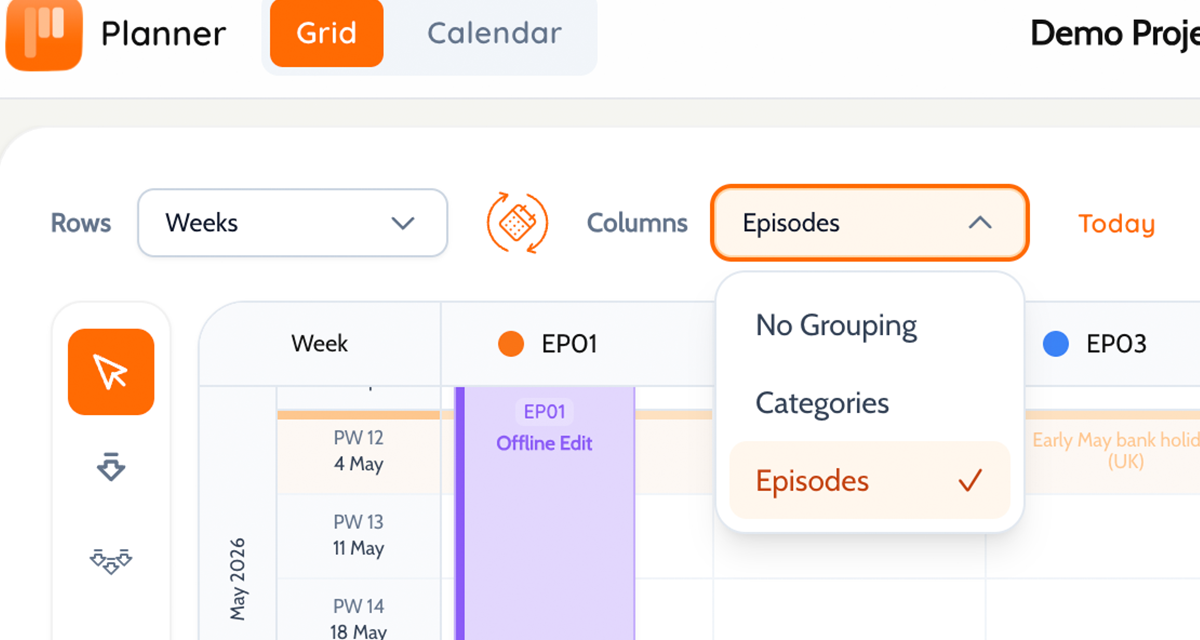
Everything stays with the schedule.
Comments, timing notes, and changes stay attached to the block - not buried in a copy no one is looking at anymore.
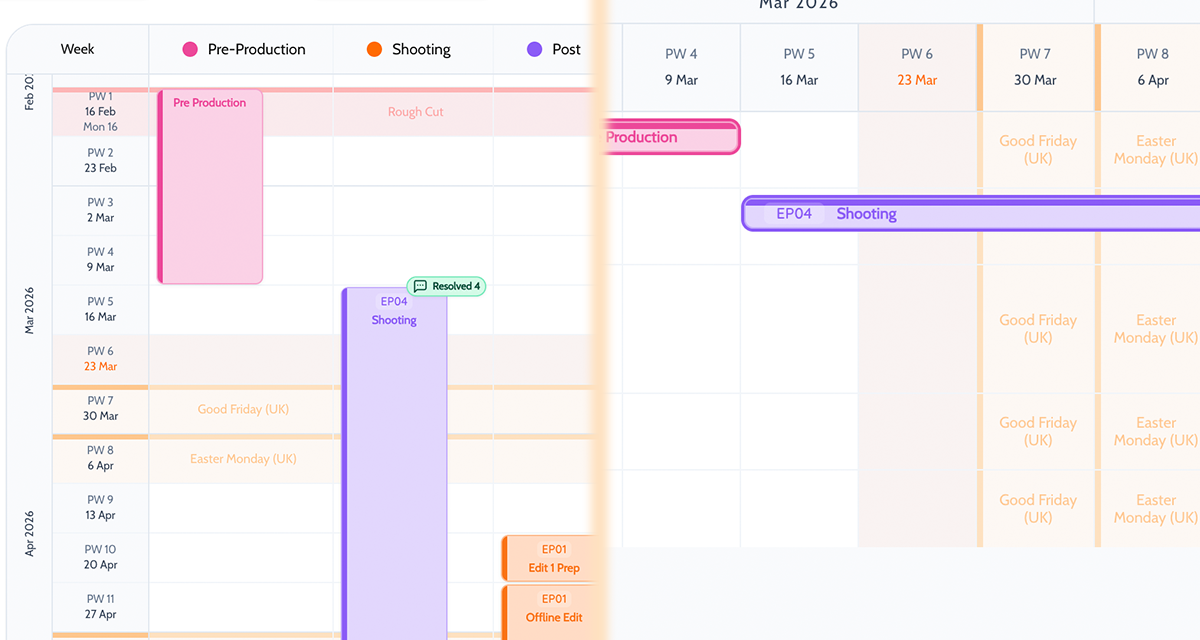
The right view for every room.
Production meeting, department review, stakeholder check-in - pull up the view that makes sense for who is in the room. Same schedule, every time.
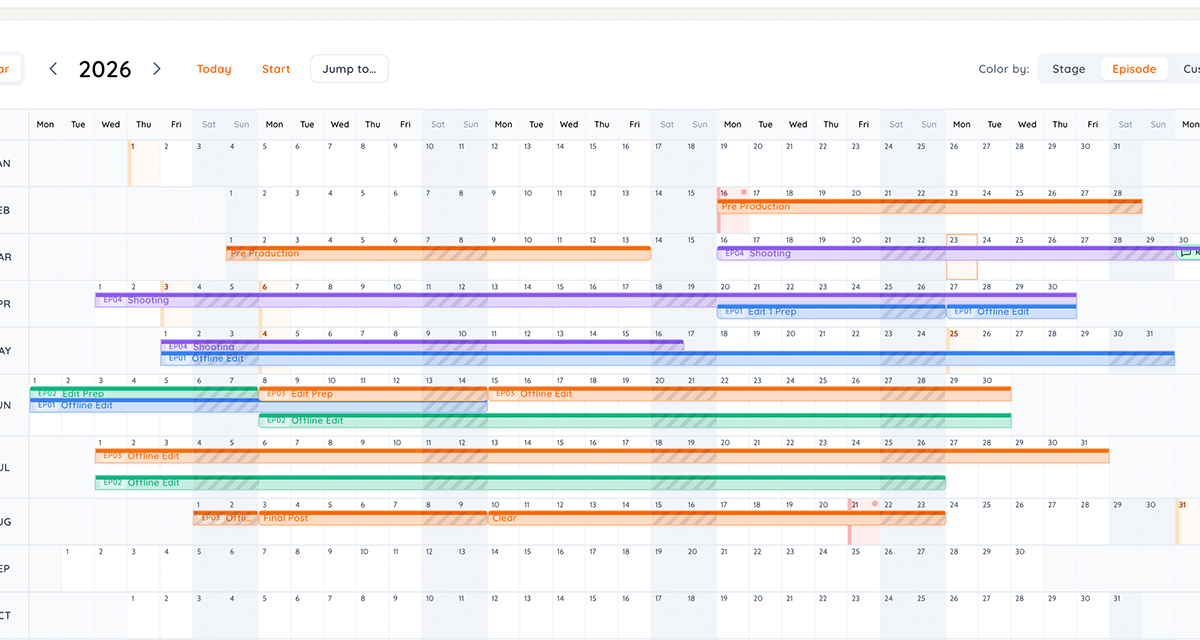
Three conversations. One schedule.
Different rooms need different cuts of the plan. The Axis System means no one has to rebuild anything to get them.
Moment
The usual workaround
With the Axis System
A department wants a new cut of the schedule
Someone duplicates the sheet, strips it back, and hopes everyone keeps up with changes.
Switch the axis. Everyone stays inside the same current schedule.
A stakeholder review needs a cleaner view
The working file gets reformatted into a presentation version that immediately starts falling behind.
Pull up a stakeholder-friendly view without touching the source of truth.
A change lands after the review
Every version gets checked manually. Something gets missed.
The view changes. The plan stays current everywhere.
Where the Axis System earns its keep.
Bigger productions. More departments. More people who need the schedule to look different. That is where having one live plan underneath all of it actually matters.
Production leads
Scan dates, categories, and delivery timing without asking the team for a separate summary deck.
Department heads
Review the schedule through the episode, category, or crew lens that matches how their work is actually planned.
Stakeholders and clients
See a cleaned-up version of the same plan instead of a manually maintained parallel timeline.
How it works in practice.
Build once. Switch when the conversation changes. Share the right version without touching the plan underneath.
Start from the working schedule
Build or import the production once. Everything else flows from there - no duplicate files, no parallel versions running alongside it.
Switch the view when the conversation changes
Moving from a production meeting to a department review? Change the axis. The schedule underneath stays the same.
Share the right version without breaking anything
Pull up the view that works for the room. The working plan stays current throughout.
Pair Axis System with these features
Axis System gets stronger when the team can also edit, review, and share from the same live plan.
Questions about the Axis System
Straight answers on how it works in practice.
Does switching view duplicate blocks?+
No. Switching the axis changes how the schedule is displayed - not the data underneath. The blocks stay exactly as they are. Only the lens changes.
Does it work for episodic and non-episodic productions?+
Yes. If your production runs across episodes, you can set an axis around those. If it does not, you can organise around dates, crew, categories or whatever structure fits. The Axis System works around how your production is actually built - not the other way around.
Is it only useful for film and TV?+
No. Any production that needs more than one planning lens - and needs everyone working from the same version - will get use out of it. Theatre, live events, commercials. If different groups need to read the same schedule differently, the Axis System does the job.
Show each team the schedule in the shape they need.
Start with one live schedule. The Axis System handles every different view from there - no duplicate files, no reconciling versions after every meeting.